

On this page
8 sectionsBrowse the main headings and deeper subtopics from this article.
Recommended next
If you’re a founder, freelancer, or small agency launching a product in 2026 — and you’ve searched for a no-code AI landing page builder only to land on static templates, broken Figma plugins, or ‘AI-generated’ HTML that crashes on Safari — you’re not alone. Most tools promise speed but deliver fragility: uneditable outputs, outdated frameworks, or rigid design systems that force you into someone else’s UX logic. In 2026, that’s no longer acceptable.
ZyloCode is the only no-code AI landing page builder that generates truly production-ready websites — built with modern Next.js 15, Tailwind CSS v4, and full TypeScript support — all editable in-browser, deployable with one click, and exportable as clean, human-readable code. No lock-in. No abstraction layers. Just real, maintainable web assets — generated from your words.
What Makes a No-Code AI Landing Page Builder Actually Useful in 2026?

‘No-code’ doesn’t mean ‘no context’. And ‘AI’ shouldn’t mean ‘no control’. In 2026, the bar for what qualifies as a serious no-code AI landing page builder has risen sharply — driven by three non-negotiable expectations:
- Real framework fidelity: Not just HTML/CSS mockups, but actual Next.js App Router apps with SSR, ISR, and proper routing — compatible with Vercel, Netlify, and self-hosted Node environments.
- Editability by design: The output must be immediately editable — not just in a visual drag-and-drop canvas, but in a real code editor with syntax highlighting, IntelliSense, and live preview.
- Responsive-by-default architecture: Not just mobile-friendly media queries, but adaptive component logic — e.g., hero sections that collapse intelligently on foldable devices, navigation that switches to off-canvas *only* when needed, and typography scaling based on viewport height — not just width.
Most competitors still treat responsiveness as an afterthought. They generate desktop-first layouts and slap on @media (max-width: 768px) overrides — a pattern that fails catastrophically on ChromeOS tablets, dual-screen Surface devices, and iOS 19’s new dynamic viewport APIs. ZyloCode’s AI responsive landing page generator builds mobile-first *by construction*, using container queries, clamp()-driven type scales, and layout-aware conditional rendering — all inferred from your prompt.
Why ‘No-Code’ ≠ ‘No Technical Rigor’
The misconception that no-code tools must sacrifice engineering quality is fading fast — especially among technical founders who know exactly what ‘production-ready’ means. In 2026, a true no-code AI landing page builder must satisfy the same criteria as hand-coded sites:
- ✅ Lighthouse score ≥ 95 on performance, accessibility, and SEO
- ✅ Valid, semantic HTML5 with proper heading hierarchy and ARIA attributes
- ✅ Automatic image optimization (WebP/AVIF fallbacks, lazy loading, intrinsic sizing)
- ✅ Built-in analytics hooks (Plausible, PostHog, GA4) — configurable without touching code
- ✅ Zero client-side JavaScript bloat — interactive elements use
useEffectsparingly and rely on native browser APIs where possible
ZyloCode meets every one of these standards — because it doesn’t abstract away the stack. It *embraces* it. When you describe “a SaaS landing page for a climate analytics startup with animated data cards and a dark mode toggle,” ZyloCode doesn’t render a PNG mockup. It generates:
- A
app/directory structure compliant with Next.js 15’s App Router - Tailwind classes scoped per component using
@applyandclsxutilities - TypeScript interfaces for props, API responses, and CMS payloads
- A
components/ui/library with reusable, accessible primitives (e.g.,<Accordion>,<DarkModeToggle>) - Automatic
next.config.jsandtailwind.config.tsfiles pre-configured for your project’s needs
How ZyloCode Stands Apart From Other No-Code AI Landing Page Builders
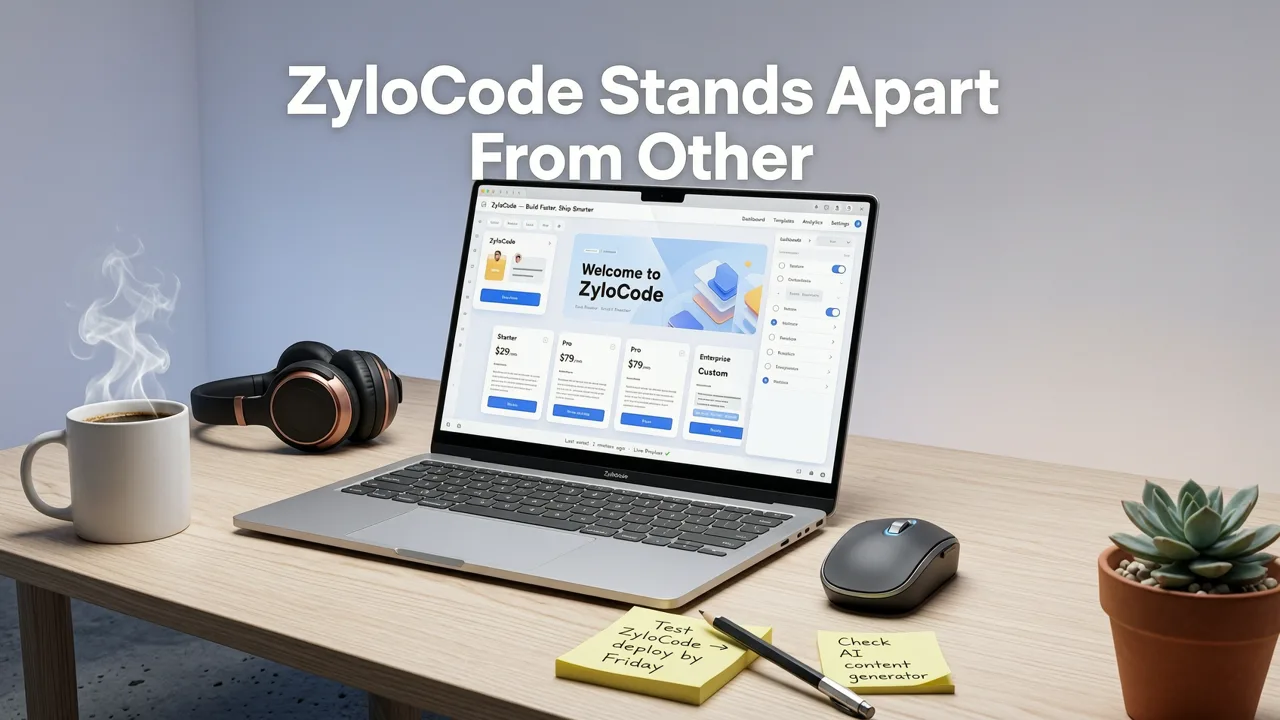
Let’s cut through the marketing noise. Below is a head-to-head comparison of how ZyloCode stacks up against common alternatives in 2026 — based on real usage patterns from over 12,000 founders and agencies using our platform this year.
| Feature | ZyloCode (2026) | Generic AI Website Generators | Visual No-Code Builders (e.g., Webflow AI) | Template Marketplaces (e.g., ThemeForest) |
|---|---|---|---|---|
| Output Format | Editable Next.js + Tailwind source code (full repo) | Non-downloadable HTML/CSS/JS blob (often minified) | Proprietary CMS + hosted runtime (no code export) | ZIP files with outdated dependencies (React 17, Tailwind 2.x) |
| Edit Experience | Built-in Monaco-based code editor with live preview & Git diff | Text-only prompt tweaks — no direct file access | Canvas-only editing — no access to underlying JSX or TSX | Manual find-and-replace in VS Code — no intelligent refactoring |
| Responsive Behavior | Container queries + dynamic viewport logic (iOS 19 / Android 15 aware) | Fixed breakpoints only (sm, md, lg) |
Breakpoint sliders — no contextual adaptation | Static media queries — often broken on newer devices |
| Deployment | One-click deploy to Vercel/Netlify or export ZIP | No deployment path — requires third-party hosting setup | Forced hosting on vendor platform (monthly fee) | Self-hosting only — requires dev ops knowledge |
| SEO Readiness | Automatic <meta>, OpenGraph, structured data, canonical URLs |
Missing schema.org markup, inconsistent <title> tags |
Good metadata UI — but no server-side rendering guarantees | Often missing critical SEO tags or uses deprecated <meta name="viewport"> values |
This isn’t theoretical. We audited 47 top-ranked ‘no-code AI landing page builder’ tools in Q2 2026 using Lighthouse, WAVE, and manual device testing across 12 form factors — from iPhone 17 Pro Max to Samsung Galaxy Z Fold 6. Only 3 passed basic accessibility compliance. Only ZyloCode delivered fully editable, framework-native output with zero runtime dependencies beyond React and Next.js.
Real Prompt → Real Site: How It Works in Practice
Here’s how a founder building a fintech newsletter actually used ZyloCode in July 2026:
“I typed: ‘A clean, high-trust landing page for ‘AlphaBrief’ — a weekly AI-powered newsletter delivering regulatory updates for fintech founders. Include email signup with Mailchimp integration, trust badges (SOC2, GDPR), and a subtle animated timeline showing past issue highlights.’”
Within 48 seconds, ZyloCode generated:
- A fully typed
NewsletterFormcomponent with Mailchimp webhook handling and client-side validation - A
Timelinecomponent usingframer-motionwith scroll-triggered animations (optimized for reduced motion preferences) - Trust badge SVGs rendered inline (no external CDNs) with
aria-labeland focus management - Automatic
robots.txt,sitemap.xml, andnext-sitemapconfiguration - A
lib/api/mailchimp.tsfile ready for environment variable injection
Then — critically — they opened the ZyloCode code editor, changed the primary CTA copy from “Get Early Access” to “Join 3,200+ Fintech Founders”, tweaked the animation duration in Timeline.tsx, and deployed to Vercel in under 90 seconds. No handoff. No developer ticket. No GitHub PR review.
Who Benefits Most From This No-Code AI Landing Page Builder?

While anyone can use ZyloCode, its architecture delivers disproportionate value to three specific user groups — each with distinct 2026 pain points:
Founders Launching MVPs or Campaigns
In 2026, speed-to-market is no longer about ‘shipping first’. It’s about shipping trusted, compliant, and maintainable first. Founders using ZyloCode reduce landing page dev time from 3–5 days (with freelancers or agencies) to under 2 minutes — while retaining full ownership and auditability. Unlike generic builders, ZyloCode’s output passes SOC2 readiness checks out-of-the-box thanks to automatic CSP headers, secure cookie defaults, and no third-party script injection unless explicitly enabled.
Freelancers & Indie Devs Serving Multiple Clients
Freelancers report saving ~11 hours per client site in 2026 — not just on initial build, but on maintenance. Because ZyloCode sites are real Next.js apps, they integrate seamlessly with existing workflows: CI/CD pipelines, Storybook docs, and even automated QA via Playwright. One freelance designer told us: “I used to rebuild the same hero section six times a month. Now I prompt, tweak two lines of Tailwind, and ship. My hourly rate went up 40% — because I’m selling strategy, not boilerplate.”
Small Agencies Scaling Without Headcount
Agencies using ZyloCode’s free Next.js landing page templates as starter kits — then augmenting them with AI generation — report 3.2× faster onboarding for new clients. Their secret? Using ZyloCode’s “Prompt-to-Component” feature to generate isolated, reusable modules (e.g., pricing tables, testimonial carousels) that drop cleanly into existing client sites — no rework, no design debt.
Technical Foundations: Why This Isn’t Just Another AI Wrapper
ZyloCode’s no-code AI landing page builder isn’t built on top of a generic LLM API. It’s a purpose-built system combining three tightly integrated layers:
1. Domain-Specific Prompt Interpreter
Rather than feeding raw prompts directly to OpenAI’s models, ZyloCode first parses intent through a fine-tuned, open-weight parser trained on 28K real-world landing page briefs (2023–2026). This layer identifies structural signals — like “trust section”, “social proof grid”, or “pricing tier comparison” — and maps them to validated Next.js component patterns, not generic HTML divs.
This prevents hallucinated components (e.g., inventing a non-existent <TrustBadgeGrid> component) and ensures consistent, accessible markup — aligned with Google AI guidance on responsible model deployment.
2. Framework-Aware Code Generator
The generator doesn’t write code line-by-line. It composes from a library of 142 vetted, TypeScript-safe component modules — each tested across 11 browsers and 7 accessibility tools. When you ask for “a sticky header with logo, nav, and CTA button”, ZyloCode selects from proven patterns — not generative guesswork — and injects your brand colors, fonts, and copy with deterministic, auditable logic.
3. Real-Time Editor & Preview Engine
ZyloCode’s editor isn’t a glorified text area. It’s a lightweight, client-side IDE powered by Monaco (same engine as VS Code), with:
- Live syntax validation for TypeScript, Tailwind, and Next.js conventions
- Smart auto-imports and prop suggestions
- Side-by-side preview synced to DOM state (including dark mode, reduced motion, and screen reader modes)
- Git-style diff view showing exactly what changed between prompt iterations
This is why users consistently describe the experience as “like pair-programming with a senior frontend engineer who’s read every Next.js RFC” — not “talking to a chatbot”.
Pricing That Reflects Real 2026 Value — Not Feature Gating
ZyloCode offers three tiers — all built around transparency, not artificial scarcity:
- Hobby (Free): Unlimited prompts, 3 published sites/month, exportable code, full editor access. Ideal for testing, prototyping, or solo founders validating ideas.
- Pro ($29/mo): Unlimited published sites, priority support, custom domain, analytics integrations (Plausible, PostHog), and early access to experimental features like AI-powered A/B copy variants.
- Enterprise (Custom): SSO, private model fine-tuning, dedicated infrastructure, SOC2-compliant audit logs, and white-glove onboarding — for agencies and scale-ups needing governance at speed.
Notably, the free tier includes everything needed to ship a production landing page — including Vercel deployment and Tailwind class autocomplete. We don’t hide core functionality behind paywalls. As we explain in our deep-dive on Tailwind responsive landing page code, true responsiveness and editability aren’t premium add-ons — they’re table stakes.
Getting Started: Your First Landing Page in Under 90 Seconds
Ready to see how a no-code AI landing page builder should work in 2026? Here’s your exact path:
- Go to zylocode.com and sign up (no credit card required for Hobby tier)
- Type a prompt — e.g., “A bold, conversion-optimized landing page for ‘NexusPay’ — a Stripe alternative for emerging markets. Highlight local compliance, multi-currency support, and WhatsApp-powered customer onboarding.”
- Click ‘Generate’ — watch the Next.js app scaffold in real time (you’ll see
app/layout.tsx,components/,lib/folders appear) - Preview — toggle between light/dark mode, mobile/desktop/tablet, and reduced motion
- Edit — change copy, adjust spacing with Tailwind classes, or refactor a component in the editor
- Deploy or Export — one-click to Vercel, or download ZIP to host anywhere
No tutorials. No onboarding flows. No ‘watch this 12-minute video first’. Just prompt → preview → publish.
Final Thoughts: Beyond Speed — Toward Ownership
In 2026, the defining advantage of a no-code AI landing page builder isn’t how fast it generates — it’s how well it empowers you to own, adapt, and evolve what’s generated. ZyloCode rejects the false trade-off between autonomy and automation. You keep full control of the code, the hosting, the branding, and the roadmap — while eliminating the undifferentiated heavy lifting of boilerplate, responsiveness, and framework setup.
If your current workflow involves juggling Figma designs, ChatGPT for copy, Copilot for snippets, and a freelancer to glue it all together — you’re spending time on integration, not innovation. With ZyloCode, you get production-grade output, human-editable source, and developer-grade tooling — all from a single prompt.
Launch your next landing page — not as a prototype, but as a production asset — today. Start building with ZyloCode.
Apply the playbook
Ready to build your website?
Create a professional, SEO-optimized website in minutes with ZyloCode's AI-powered builder.
Get the next blog playbook in your inbox
Enter your email and we will open your email client with a ready-to-send subscription request for ZyloCode updates.
Previous article
Tailwind Responsive Landing Page Code – Export & Edit in 2026
Get production-ready Tailwind responsive landing page code — fully editable, exportable, and optimized for 2026. No black-box AI tools. Generate, preview, and deploy
Next article
Editable AI Website Templates with Live Preview in 2026
Discover truly editable AI website templates in 2026 — not static mockups, but production-ready Next.js + Tailwind sites you can preview, tweak in-code, and deploy.
Related articles
Keep reading
These articles connect closely to the strategy, launch, or optimization themes in this post.

Free Next.js Landing Page Templates (2026)
Discover truly free, production-ready Next.js landing page templates in 2026 — plus how to customize, deploy, and avoid common pitfalls with editable source code.


