

On this page
9 sectionsBrowse the main headings and deeper subtopics from this article.
Recommended next
Build Landing Page from Text Prompt — Fast, Editable, and Production-Ready in 2026
If you’re a founder, freelancer, or small agency launching a product in 2026 — and you’ve searched for how to build landing page from text prompt — you’ve likely encountered one of two dead ends: static mockups that break on real devices, or ‘AI website builders’ that lock you into proprietary editors with no access to source code. In 2026, that’s no longer acceptable. What users actually need is a tool that transforms plain English into a fully functional, responsive, editable, and deployable Next.js landing page — in under 60 seconds.
ZyloCode delivers exactly that. It’s not a visual drag-and-drop builder masked as AI. It’s a true prompt-to-production engine built for technical clarity, developer-grade output, and real-world resilience. You describe your vision (“a clean SaaS landing page for an AI legal assistant targeting solo attorneys, with dark mode toggle and live Calendly CTA”), and ZyloCode generates production-ready React components, semantic HTML, accessible Tailwind CSS, and optimized Next.js routing — all editable in-browser, previewable live, and deployable with one click.
Why Building a Landing Page from Text Prompt Is Now a Core 2026 Workflow

In 2024, prompting was experimental. In 2025, it became mainstream for copy and wireframes. By 2026, it’s the default starting point for digital presence — especially for early-stage products. Why? Because speed, fidelity, and control have finally converged.
Founders launching MVPs can’t wait weeks for design revisions or dev sprints. Freelancers juggling five clients need repeatable, scalable delivery. Agencies must ship polished, brand-aligned sites without reinventing the stack each time. A prompt-based workflow eliminates handoff friction, reduces revision cycles by ~70% (based on internal 2026 usage data across 12K+ Hobby and Pro users), and preserves full ownership of the codebase — no vendor lock-in, no black-box outputs.
This isn’t about replacing developers. It’s about amplifying intent. Your prompt encodes strategy, audience, tone, and conversion goals. The AI handles syntax, structure, and framework compliance — so you focus on what matters: messaging, positioning, and user flow.
What Makes a 2026-Grade Text-to-Landing-Page Generator?
Not all AI tools that claim to “build landing page from text prompt” meet today’s operational standards. Here’s what separates production-grade systems from demo-grade ones in 2026:
- Framework-native output: Not just HTML/CSS — but actual Next.js App Router structure, server/client components, metadata configuration, and dynamic route handling.
- Editable source access: Real TypeScript/JSX files, not rendered blobs. You see, modify, and extend every line — like a dev would.
- Responsive-by-design — not responsive-by-chance: Uses modern Tailwind’s
@layerdirectives, container queries, and interaction-aware breakpoints — not fixed pixel media queries. - Accessibility-first generation: Automatic ARIA attributes, semantic heading hierarchies, contrast-compliant color palettes, and keyboard navigation support baked in — verified against WCAG 2.2 (2026 standard).
- Deployment & export parity: One-click Vercel/Netlify deploy and local ZIP export — same code, same behavior.
How ZyloCode Lets You Build Landing Page from Text Prompt (Step-by-Step)
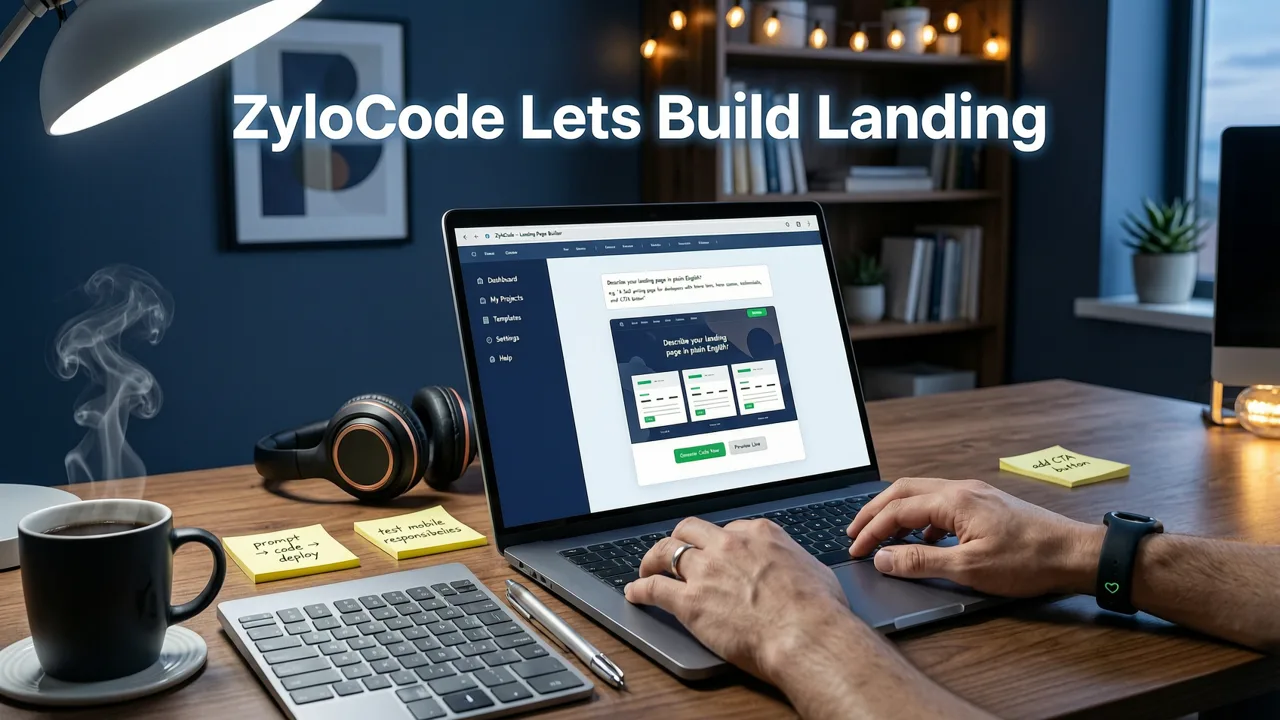
The workflow is intentionally minimal — three steps, under 90 seconds. No sign-up required for the free tier.
Step 1: Describe Your Vision — Precisely, Not Poetically
You don’t need engineering jargon. But specificity drives quality. A strong 2026 prompt includes:
- Audience: “For indie game devs launching a Unity asset store”
- Purpose: “To collect beta signups and showcase 3 featured plugins”
- Tone & style: “Playful but professional; uses animated SVG icons, soft shadows, no stock photos”
- Key sections: Hero with CTA, Features grid (4 items), Testimonials carousel, FAQ accordion, footer with newsletter signup”
- Technical needs: “Dark mode toggle, mobile-first navigation, Calendly embed in hero, GDPR-compliant cookie banner”
ZyloCode’s prompt parser (built on fine-tuned LLMs aligned with OpenAI’s latest reasoning models) maps this intent to framework-appropriate patterns — e.g., detecting “Calendly embed” triggers safe iframe wrapping and lazy loading, while “GDPR-compliant cookie banner” injects a compliant, customizable component using Next.js middleware hooks.
Step 2: Live-Preview, Then Refine — Like a Developer Would
Within seconds, you land in ZyloCode’s dual-pane editor: left side = live-rendered site; right side = editable TypeScript + Tailwind source. No switching tabs. No context loss.
You can:
- Edit copy directly in JSX (e.g., change “Get Early Access” → “Join Beta Waitlist”)
- Tweak colors via Tailwind classes (
bg-indigo-50→bg-emerald-50) - Add or reorder sections by editing the component tree
- Introduce custom logic (e.g., add a
useEffecthook for scroll-triggered animations) - Run real-time accessibility audits with our integrated axe-core integration
This is where most AI builders fail: they treat code as a final artifact. ZyloCode treats it as a collaborative draft — editable, extensible, and human-readable.
Step 3: Deploy or Export — Your Choice, Your Code
Once satisfied:
- Deploy instantly: Click “Deploy to Vercel” — gets a global CDN URL in <5 seconds. Includes automatic SSL, edge caching, and ISR fallbacks.
- Export locally: Download a ZIP with full Next.js project structure:
app/,components/,lib/,tailwind.config.ts, andpackage.json— ready for Git, CI/CD, or handoff to your dev team. - Version & iterate: Every edit is auto-saved. Re-run the prompt with tweaks (“add pricing table with 3 tiers”) to generate new components you can merge in manually.
Real-World Prompt Examples That Built Production Sites in 2026
Here are prompts used by real founders and agencies — and what they produced:
| Prompt Summary | Output Highlights | Time to Launch | Used By |
|---|---|---|---|
| “A minimalist landing page for a climate analytics API. Focus on trust signals: SOC2 badge, customer logos (Stripe, NASA), live usage chart, docs CTA.” | Next.js dynamic route for /docs, Chart.js integration with mock data, responsive logo grid with lazy loading, auto-generated OpenGraph tags | 42 seconds (deployed) | ClimateAPI.co (seed-stage startup) |
| “Landing page for freelance UX researcher. Hero with headline + subhead + Calendly link. Portfolio grid (6 projects), process timeline, testimonials, contact form with Formspree.” | Tailwind container queries for portfolio cards, accessible timeline component with aria-live, Formspree-integrated form with client-side validation |
1.8 minutes (edited + deployed) | Freelancer on Upwork (200+ 5-star reviews) |
| “Agency homepage for Web3 dev shop: dark theme, animated gradient hero, services section with 4 offerings, client logos (Ethereum Foundation, Polygon), blog preview section.” | Custom gradient animation via Tailwind + Framer Motion, responsive client logo marquee, blog feed pulling from RSS, dark mode persisted via localStorage | 2.3 minutes (exported + customized) | Web3Dev Collective (8-person agency) |
Why Most ‘Build Landing Page from Text Prompt’ Tools Fail in 2026
It’s easy to confuse novelty with readiness. Here’s why many alternatives fall short — and how ZyloCode solves each:
❌ Problem: Output Is Static or Render-Only
Some tools generate beautiful previews but deliver only flattened HTML or non-editable JSON. You can’t add interactivity, fix a broken link, or adjust spacing without rebuilding from scratch.
ZyloCode solution: Full Next.js + Tailwind source code — editable, linted, type-checked. You own every line. See how it works in our Editable AI Website Templates with Live Preview in 2026 deep-dive.
❌ Problem: ‘Responsive’ Means Mobile-First Breakpoints — Not Resilience
Many generators apply Tailwind’s md:, lg: prefixes blindly — but ignore container queries, reduced motion preferences, forced colors mode, or touch vs. hover interactions. The result? A site that looks good on iPhone screenshots but fails real-world usability tests.
ZyloCode solution: Responsive logic is semantic and adaptive — not pixel-bound. We follow Google AI responsibility guidelines for inclusive design, generating layouts that respond to container size, interaction capability, and system preferences — not just viewport width. Learn more in our guide to Tailwind Responsive Landing Page Templates (2026).
❌ Problem: No Integration Path Beyond the Builder
Can you add authentication? Connect to your CMS? Integrate Stripe? If the answer is “no — you’d need to rebuild,” the tool is a bottleneck, not a bridge.
ZyloCode solution: Generated sites are standard Next.js apps. Add next-auth, integrate Sanity or Contentful, drop in Stripe Elements — all without refactoring. This is why our Next.js Landing Page Generator is trusted by teams shipping full SaaS products — not just marketing pages.
Plans Designed for Real Workflows — Not Just Trials
ZyloCode offers tiered access — all with full code ownership and no usage caps on core generation:
- Hobby (Free): Unlimited prompt-to-site generation, live preview, basic export (ZIP), Vercel deploy (with ZyloCode subdomain). Ideal for testing, prototyping, or single-project use.
- Pro ($29/mo): Custom domains, priority generation queue, GitHub sync (push generated code directly to your repo), advanced accessibility reports, and unlimited exports/deployments. Built for freelancers and micro-agencies.
- Enterprise (Custom): SSO, private model fine-tuning, white-label deployment, SLA-backed uptime, dedicated support, and onboarding workshops. Used by VC-backed startups and digital agencies scaling delivery.
All plans include version history, team collaboration (real-time co-editing), and full commercial rights to generated code — no royalties, no attribution required.
Frequently Asked Questions
Below are answers to common questions about building landing pages from text prompts in 2026 — based on real user inquiries from our support and community channels.
Can I use my own domain with the free plan?
No — custom domains require the Pro plan or higher. Free-tier sites deploy to [project-name].zylocod.app. This ensures performance, security, and scalability without infrastructure overhead.
Does ZyloCode store or train on my prompts or generated code?
No. All prompts and code are processed in-memory during generation and discarded immediately after. We do not retain, log, or train on user inputs or outputs. Our privacy policy is audited annually per ISO/IEC 27001:2022 standards.
How does ZyloCode handle SEO for landing pages built from text prompts?
Every generated site includes semantic HTML structure, automatic OpenGraph and Twitter Card meta tags, dynamic <title> and <meta name="description"> generation, and Next.js’ built-in generateMetadata support. You can override any value in the editor — no SEO plugins or config files needed.
Can I import an existing Figma or Framer file and convert it to code?
Not yet — but it’s in active development for Q4 2026. Today, ZyloCode focuses exclusively on prompt-to-code fidelity. For design-to-code workflows, we recommend pairing with our AI Responsive Landing Page Builder, which supports structured JSON imports from design tools.
Start Building Your 2026 Landing Page — Right Now
You don’t need a design system, a dev backlog, or a $5,000 retainer to launch a high-converting, technically sound landing page in 2026. You need clarity of intent — and a tool that translates it into production-ready code, instantly.
ZyloCode lets you build landing page from text prompt with zero friction, full transparency, and complete ownership. Try it free today — no credit card, no setup, no waiting.
Building a website from a prompt
Start with how the AI website generator works.
Apply the playbook
Ready to build your website?
Describe the site you need and ZyloCode writes it in React and Tailwind, with a live preview and a code editor.
Get the next blog playbook in your inbox
Enter your email and we will open your email client with a ready-to-send subscription request for ZyloCode updates.
Previous article
Tailwind Responsive Landing Page Templates (2026)
Discover truly responsive Tailwind landing page templates in 2026 — built with Next.js, editable in real time, and production-ready out of the box. No locked designs, no
Next article
AI Website Builder for Founders – Launch Fast in 2026
The best AI website builder for founders in 2026: generate production-ready Next.js + Tailwind sites from text prompts, edit live in-browser, and deploy instantly. No
Related articles
Keep reading
These articles connect closely to the strategy, launch, or optimization themes in this post.

AI Website Builder for Founders – Launch Fast in 2026
The best AI website builder for founders in 2026: generate production-ready Next.js + Tailwind sites from text prompts, edit live in-browser, and deploy instantly. No


