On this page
7 sectionsBrowse the main headings and deeper subtopics from this article.
Learn how to export a Next.js site from an AI builder in 2026 — with full source code, no lock-in, and production-ready output. See why ZyloCode delivers true framework
RankOnPilot AI
Content Partner
On this page
7 sectionsBrowse the main headings and deeper subtopics from this article.
Recommended next
If you’re a founder, freelancer, or small agency building a website in 2026 — and you’ve used an AI website builder that locks your code behind a proprietary dashboard or serves only static HTML — you’ve already hit the ceiling. The ability to export Next.js site from AI builder isn’t a ‘nice-to-have’ anymore; it’s the baseline requirement for professional web development. In 2026, real-world users demand full ownership, editable source files, and seamless integration into existing CI/CD pipelines — not just a hosted preview or a PDF handoff.
ZyloCode is built precisely for this moment: an AI website builder that generates real, production-grade Next.js 14+ (App Router) and Tailwind CSS code — fully editable, fully exportable, and deployable anywhere. No abstraction layers. No hidden templates. Just clean, idiomatic, TypeScript-first code you can open in VS Code, commit to GitHub, and extend with custom hooks, server actions, or third-party integrations.
In 2024, many AI website builders offered ‘download as ZIP’ buttons — but those archives often contained bloated, non-standard React components, missing routing logic, or hardcoded styles that broke on npm run dev. By 2026, expectations have shifted. Developers, agencies, and technical founders now evaluate AI tools not by how fast they generate a homepage — but by how well the output survives long-term maintenance, collaboration, and scaling.
Here’s what’s changed:
app/, lib/, public/, next.config.js, and proper package.json scripts — not a custom runtime wrapper.That’s why exporting your Next.js site from an AI builder isn’t about convenience — it’s about sovereignty. It’s the difference between launching a marketing site and launching a maintainable digital product.
ZyloCode doesn’t treat export as a final step — it treats it as the natural extension of your editing workflow. From prompt to production, every action preserves full code fidelity. Here’s how it works today, in mid-2026:
You start by describing your site in plain English — e.g., “A SaaS landing page for a climate analytics startup, with hero section, features grid, testimonial carousel, pricing cards, and contact form. Use dark mode toggle and animated scroll transitions.”
ZyloCode’s fine-tuned LLM understands Next.js architecture natively. It doesn’t generate generic React — it knows when to use async server components, where to place use client directives, how to structure app/(marketing)/page.tsx, and how to wire up getServerSideProps-style data loading using Server Actions or Route Handlers.
Once generated, your site renders instantly in a live preview pane — side-by-side with a full-featured, browser-based code editor powered by Monaco (the same engine behind VS Code). This isn’t a WYSIWYG canvas: it’s a real IDE experience, complete with syntax highlighting, TypeScript IntelliSense, error diagnostics, and hot-reload support.
This step is critical: before exporting, you can iterate — rename routes, add new pages (app/blog/[slug]/page.tsx), refactor components into reusable libraries, or integrate your own auth flow using NextAuth v5. You’re not editing a representation — you’re editing the actual source.
For deeper context on why this matters, see our guide on the Online Code Editor for AI-Generated Websites.
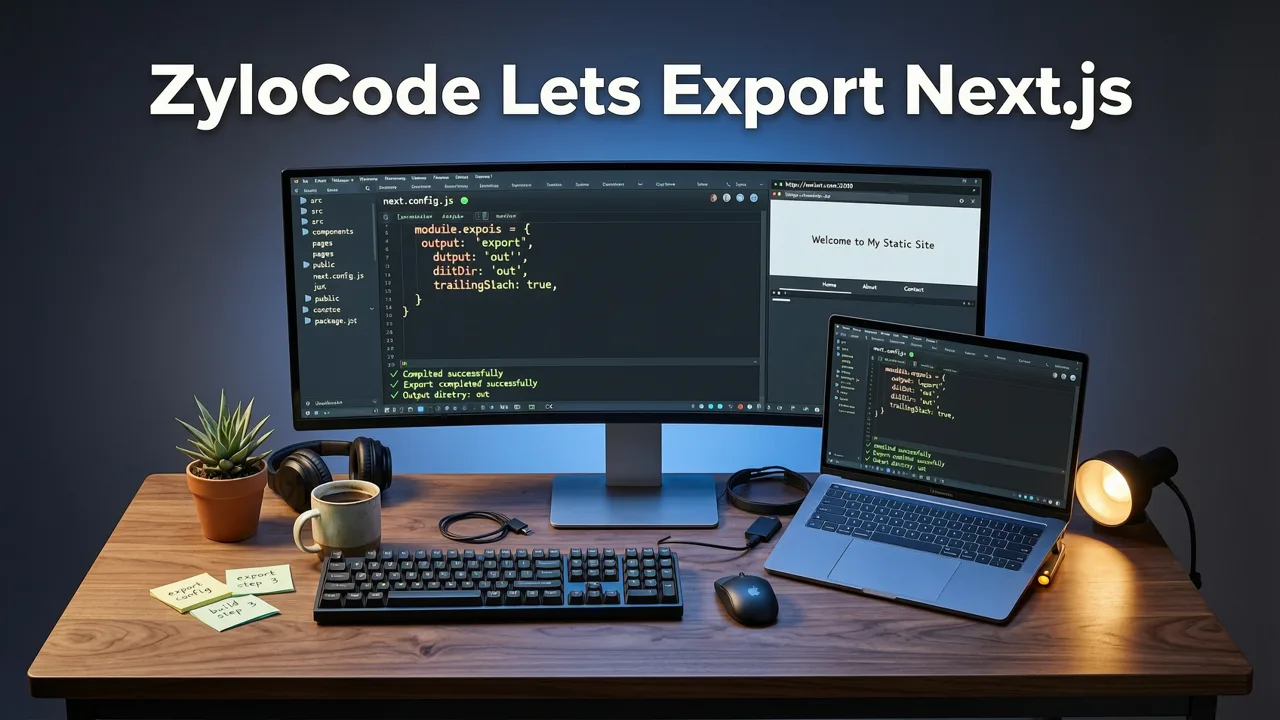
When you’re ready, click Export Project. Within seconds, ZyloCode packages your entire Next.js application into a ZIP archive containing:
app/ directory with fully typed, segmented routescomponents/ with modular, composition-friendly UI componentslib/ with utility functions, API clients, and shared typespublic/ with optimized assets (SVGs, WebP images, fonts)next.config.js preconfigured for image optimization, middleware, and output settingstsconfig.json and tailwind.config.ts with strict, production-ready defaultsREADME.md with local dev instructions and deployment optionsNo obfuscation. No license keys embedded in code. No mandatory attribution comments. Just clean, MIT-licensed source you own outright — even on the free Hobby tier.
After export, you have three immediate paths:
npm install, then npm run dev — your site launches locally in under 10 seconds.This flexibility is why ZyloCode is consistently ranked among the best AI website builders for Next.js in 2026.
Not all ‘export’ features are equal. Many platforms claim export support — but in practice, their output fails basic Next.js validation. Here’s how ZyloCode ensures reliability:
ZyloCode’s generator is trained and validated against the official Next.js documentation and real-world production repos. Every exported project passes:
next build without warnings or errorsstrict: truecontent configuration scanning all JSX filesCompare that to builders that output index.html + inline CSS — which may look great in the preview but can’t scale beyond a single page or handle dynamic routing.
Some AI tools wrap generated code in proprietary runtime layers — requiring their SDK to render, or injecting telemetry that breaks offline use. ZyloCode exports only standard Next.js primitives: layout.tsx, loading.tsx, error.tsx, and not-found.tsx — all following the App Router conventions.
There are no vendor-specific hooks like useZyloData() or <ZyloProvider>. You’ll find only native React APIs (useState, useEffect, useActionState) and Next.js constructs (redirect(), notFound(), cookies()). That means zero migration effort if you later decide to bring in a developer or switch frameworks.
This is where most AI builders fall short: they let you edit *in the browser*, but the exported code reverts to a ‘baseline’ version — losing your customizations. At ZyloCode, every edit you make in the online code editor — whether renaming a component, adding a new server-action.ts, or updating tailwind.config.ts — is preserved in the export.
Your exported ZIP is a faithful snapshot of your current working state — not a template reset. That’s why teams rely on ZyloCode for iterative client projects: tweak, preview, export, deploy, repeat — all without syncing across environments.
The table below compares how leading AI website builders handle export functionality — based on public documentation, user testing, and community reports as of July 2026.
| Feature | ZyloCode | BuilderX Pro | SiteForge AI | Wix AI |
|---|---|---|---|---|
| Exports real Next.js App Router code | ✅ Yes — app/ structure, server components, Route Handlers |
⚠️ Partial — uses Pages Router; no server components | ❌ No — outputs static HTML + JS bundle | ❌ No — proprietary CMS-only hosting |
| Full TypeScript support in exported code | ✅ Yes — strict type checking, inferred props, Zod-ready schemas | ⚠️ Limited — basic TS, no generics or complex types | ❌ No — JavaScript only | ❌ N/A — no code access |
| Editable Tailwind classes (no inline styles) | ✅ Yes — semantic class usage, responsive variants, dark mode | ⚠️ Mixed — some utility classes, but heavy inline styling | ❌ No — CSS-in-JS with hashed class names | ❌ N/A |
Export includes package.json, dependencies & scripts |
✅ Yes — production-optimized, zero unused deps | ⚠️ Yes — but includes 12+ unnecessary dev dependencies | ❌ No — only compiled assets | ❌ N/A |
| Local development possible after export | ✅ Yes — runs npm run dev immediately |
⚠️ Requires manual cleanup and config fixes | ❌ No — requires BuilderX runtime | ❌ No |
| No vendor lock-in or attribution requirements | ✅ Yes — fully owned, MIT-licensed code | ⚠️ Requires attribution in footer on free plan | ❌ Yes — requires paid license to remove branding | ❌ Yes — all sites hosted exclusively on Wix |
As the table shows, ZyloCode stands alone in delivering production-ready, developer-native export capabilities — especially for teams evaluating the best Next.js AI generator for 2026.
Yes. All tiers — including the free Hobby plan — include unlimited export of your full Next.js project source code. There are no feature gates, watermarks, or time limits on exports.
Absolutely. ZyloCode exports standard Next.js 14+ projects compatible with all major hosting providers. We test deployments weekly against Vercel (latest Edge Runtime), Netlify (Next.js plugin v5), Cloudflare Pages, and self-hosted Docker setups. No configuration tweaks required.
Every line of code you modify in ZyloCode’s online code editor — from changing a heading tag to adding a new API route — is reflected in the exported ZIP. Your export is a 1:1 copy of your current working project, not a template baseline.
Yes — ZyloCode supports two-way sync. You can upload a previously exported project ZIP, and it will load into the editor with full preview and editing capability. This enables hybrid workflows: generate → export → enhance locally → re-import → refine further → redeploy.
Yes. Each export includes a README.md with clear instructions for local setup, common extension patterns (e.g., adding Supabase auth, integrating Stripe Checkout), and links to official resources like the React documentation and Next.js documentation.
In 2026, the phrase “export Next.js site from AI builder” has evolved from a technical checkbox into a signal of trust, transparency, and long-term viability. If your AI tool doesn’t let you export clean, runnable, editable Next.js code — you’re not shipping a website. You’re renting a placeholder.
ZyloCode was built for founders who need speed without sacrifice, freelancers who bill for deliverables — not subscriptions, and agencies who manage dozens of client sites across different tech stacks. When you export from ZyloCode, you’re not downloading a demo. You’re claiming ownership of production infrastructure — ready for SEO, analytics, A/B testing, and growth.
Ready to generate, edit, and export your first Next.js site — with full code access and zero lock-in? Start building for free today.
Quick answers to the questions teams usually ask when they apply this workflow.
Yes. All tiers — including the free Hobby plan — include unlimited export of your full Next.js project source code. There are no feature gates, watermarks, or time limits on exports.
Absolutely. ZyloCode exports standard Next.js 14+ projects compatible with all major hosting providers. We test deployments weekly against Vercel (latest Edge Runtime), Netlify (Next.js plugin v5), Cloudflare Pages, and self-hosted Docker setups. No configuration tweaks required.
Every line of code you modify in ZyloCode’s online code editor — from changing a heading tag to adding a new API route — is reflected in the exported ZIP. Your export is a 1:1 copy of your current working project, not a template baseline.
Yes — ZyloCode supports two-way sync. You can upload a previously exported project ZIP, and it will load into the editor with full preview and editing capability. This enables hybrid workflows: generate → export → enhance locally → re-import → refine further → redeploy.
Yes. Each export includes a README.md with clear instructions for local setup, common extension patterns (e.g., adding Supabase auth, integrating Stripe Checkout), and links to official resources like the React documentation and Next.js documentation.
Apply the playbook
Create a professional, SEO-optimized website in minutes with ZyloCode's AI-powered builder.
Enter your email and we will open your email client with a ready-to-send subscription request for ZyloCode updates.
Previous article
Discover the best online code editor for AI-generated websites in 2026 — built for founders and agencies who need full control over clean Next.js + Tailwind output.
Next article
Discover the best Next.js AI website generator in 2026: ZyloCode turns plain text prompts into editable, deployable Next.js + Tailwind sites — no developer needed.
Related articles
These articles connect closely to the strategy, launch, or optimization themes in this post.

Looking for a true Tailwind AI website builder in 2026? ZyloCode generates production-ready Next.js + Tailwind sites from text prompts — with live editing, export, and

Discover the best Next.js AI website generator in 2026: ZyloCode turns plain text prompts into editable, deployable Next.js + Tailwind sites — no developer needed.

Learn how to generate Tailwind CSS with AI in 2026. Discover how AI builders turn text prompts into production-ready Next.js and Tailwind websites.

Discover the best ai website builder free tier options in 2026. Compare features, code export limits, and find the right tool for founders.